
Patrick Torpey • March 2, 2018

COMMERCIAL FIRE PROTECTION

GETTING BEYOND PROPERTY PROTECTION ONLY
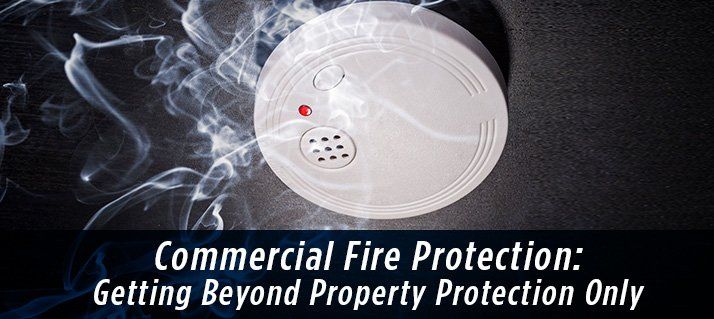
It is far more common than most people realize, and far more dangerous. Over and over, employers are having problems getting employees out of the building when the alarm sounds. Owners may foresee this problem and have difficulties overcoming this obstacle.

Designed for Property Protection, not Life Protection

In many instances, especially for B Occupancies or business occupancies, the fire alarm system is designed for property protection only. This means that the fire alarm system is designed to detect the activation of the building sprinkler system so the fire department can be dispatched. This is a known as a sprinkler monitoring system.

The requirements for the sprinkler monitoring system in California are:

• Utilizing a CSFM (California State Fire Marshal) approved Fire Alarm Panel

• Monitoring of the water flow detectors and any shut-off valves on the sprinkler system

• Having one smoke detector above the fire alarm panel

• One manual activated pull station, usually located in the main lobby

• One fire alarm annunciator (fire alarm keypad to identify alarm and trouble zones). This too is usually located in the front lobby.

• One horn strobe unit (sounder and light) located in the front lobby.

• HVAC Unit shutdown


How This Can Create the Perfect Storm

In a system designed purely for property protection, it does exactly what it is designed to do– protect property. If the sprinkler system should activate due to a fire the occupants, employees, are not aware of this activation unless they are in the front lobby of the building because this is where the horn strobe unit is located. This could be a huge liability for a company and ultimately result in injury or death to their employees.

Most companies conduct regular evacuation drills so as to be able to get their employees out of the building and account for the employees in the event of an emergency. These drills are often unsuccessful because they do not have the right system in place. Some companies use the phone paging system to alert employees to evacuate, others use bull horns – running throughout the building, others have a designated ERT (emergency response team) who’s responsibility, among others, is to get employees out of the building and proactively handle the issue.

There are several problems with this approach, including:

• It depends on the ERT to be present in order to fulfill duties

• It delays response, using critical time

• Locating and informing everyone in enough time is likely not a realistic expectation


The Solution

For those companies whose buildings are equipped with the minimal fire protection and want a sure proof method of getting employees out of the building, Fire Code does allow for the addition of the evacuation components to alert all personnel of an issue and have them evacuate the building. This involves installing horn/strobe and strobe units throughout the building in conformance with fire alarm codes and for installing manual pull stations at the exit locations so the alarm can be manually activated. This allows for activation when there is a need to evacuate for reasons other than fire such as an earthquake, chemical release, and others.

With the horn/strobe and strobe units in place, upon activation, the horns sound and alarm and the strobes flash in a synchronized manner to alert personnel. Adding the evacuation components to a B Occupancy is strictly a voluntary action. However, because it is a modification to the fire alarm system it must be done in accordance with Fire Code and has to be approved by the AHJ (Authority Having Jurisdiction) typically the local fire department. Code is very specific about the placement and spacing of the horn strobes and strobes throughout a building.

Protection Plus Security Services is a full-service electronic security system integrator serving the greater San Francisco Bay Area and expert in meeting your fire and security needs. For more information about adding the evacuation component to a B Occupancy building, contact us at 800-498-9297 today!
By Ian Torpey May 14, 2026
Learn the 5 signs it may be time to upgrade your access control system, from limited scalability to outdated hardware and difficult system management.
By Ian Torpey April 27, 2026
Compare cloud vs. on-premises physical security systems and learn which model best fits your business based on control, scalability, IT requirements, and long-term growth.
By Ian Torpey April 17, 2026
Learn how Eagle Eye 911 Public Safety Camera Sharing gives emergency communication centers real-time access to selected cameras during a 911 call, helping businesses improve safety, response speed, and situational awareness.
By Ian Torpey April 9, 2026
Learn how Eagle Eye Complete Program gives businesses a cloud video surveillance system with predictable monthly pricing, lower upfront costs, and lifetime repair and replace support.
By Ian Torpey April 1, 2026
Learn how the Brivo access control system uses cloud management, scalable controllers, and mobile credentials to secure modern facilities.
By Ian Torpey March 24, 2026
Discover how remote video monitoring services from Eagle Eye provide proactive security using AI, real-time monitoring, and trusted partners to protect your business.
By Ian Torpey February 3, 2026
Brivo has recently announced they are no longer supporting several of their legacy control panels. These panels will need to be replaced before February 28, 2026. Affected Legacy Panels The following Panels have reached the End-of-Life and requires replacement Brivo ACS5000 Brivo IPDC Brivo Edge (HID-Edge) Replacement Options Brivo ACS6100 Replacement for the Brivo5000 legacy panel Brivo ACS300 Replacement for both Brivo EDGE and Brivo IPDC legacy panels Issues If Not Replaced Brivo's legacy hardware does not support many of Brivo's current and planned features. Also, the legacy hardware exposes companies to potential security risks and supportability issues as the legacy panels cannot comply with modern security standards. We are Here to Help When upgrading your legacy hardware with PPSS, we will take every step to ensure that there are minimal disruption to your operations. Our experienced technicians will coordinate a seamless transition with low downtime, maintaining the security integrity of your property throughout the upgrade process. For more information or to schedule your system upgrade, please contact our office today.
By patrick September 30, 2024
Does Verkada’s Access Control Tailgate Detection solution work you?
By patrick July 16, 2021
Openpath is a secure cloud based access control system offering some very impressive and unique features not found in other access control systems. The Openpath access control system primarily utilizes mobile credentials allowing users to use their phones for access into the building. Openpath Readers Allow for Hands Free Entry One of their unique features is the hands free entry. The Openpath readers can be configured to allow the wave of your hand to unlock the door. Allowing you to keep your phone in your pocket, backpack, or purse and not having to present it to the reader. The Openpath readers work with the mobile credentials as well as the Openpath cards and tags. They will even work with legacy HID Proximity credentials that many companies still utilize. Video Reader Pro Openpath has just introduce the Video Reader Pro. This reader contains both the Openpath reader technology and a 5MP super high definition camera in one compact unit. It is designed to automatically associate the video clip with the access control event, allowing you the ability to see the activity at your door. Triple Unlock Technology Openpath’s patented triple unlock technology makes the use of the mobile credential very easy and reliable. This technology works with Bluetooth, WiFi, and LTE cellular data for fast authentication. Bluetooth is utilized directly by the reader and local Smart Hub. The WiFi allows for both local Smart Hub or cloud authentication. The cellular data is authenticated in the cloud. These three technologies combine to make for a quick verification and authorization. Allowing authorized users to pass quickly through secured entry points. Guest Pass If authorized your mobile users can provide Guest Passes for visitors allowing them entry into the building. These passes are provided via text or email and allow visitors entry at a specific reader or group of readers and are valid for a user specified time. Integrations Openpath has a number of integrations with various third party software and services allowing you to link your access control system to these other systems. The integrations include identity providers: Google G Suite, Microsoft Azure Active Directory, Okta, and OneLogin. They also integrate with a number of video systems: Camio, Rhombus, Milestone, and Cisco Meraki. The Openpath system will integrate with the Envoy visitor management system, as well as other integrations with Slack (business communications), Allegion (wireless locks), Zapier (business automation), Cove (tenant experience), and ButterflyMX (intercom system).
Verkada Cloud Based Video Surveillance System
By patrick March 9, 2021
Verkada Video Surveillance System is a commercial grade enterprise cloud based video surveillance system. The Verkada video surveillance solution is an advance featured cloud based system that is powerful, easy to use, and easy to share. It requires no onsite video recording equipment.